High School GPA Calculator
Easily calculate and track your high school GPA, save your score and keep tabs on your overall academic performance.
High school GPA calculator
Enter course grades and credits to compare your unweighted and weighted averages across semesters.
Weighting and display settings
Include an earlier GPA record (optional)
Add the previous credits and both GPA values to the overall calculation.
Current results
GPA = sum of (grade points × credits) divided by sum of credits.
Show working
Weighting rules differ by school. Check your school’s policy.
This high school GPA calculator gives you an unweighted and a weighted GPA for every semester and for your whole record. The GPA is the total of grade points times credits, divided by the total credits. Enter letter grades or percentages, mark each class as Regular, Honors, AP/IB or College, and the results update as you type. Five one-credit classes graded A-, B+, A, B and C+ give 3.26 unweighted and 3.56 weighted when one class is Honors and one is AP.
How to Use the High School GPA Calculator
Need a GPA for one term, a full year or all four years? Fill in your classes above and the numbers update as you go. You can work on a single semester or build your whole record, one semester at a time.
Step-by-Step Tutorial
Prefer written instructions? Here is the full process, from your first class to your final GPA.
- Name your class. Type the course name or a short label. It is optional, but it helps you match each grade to the right course.
- Choose your grade. Pick a letter from the dropdown. If your school reports percentages, switch "Grade entry" to Percentage and the calculator converts each score using the scale further down this page.
- Enter the credits. Most classes are worth 1 credit. Gym and some electives are often half a credit, so check your transcript. The calculator accepts 0.25 to 10 credits per class.
- Set the class level. Every class starts as Regular. Switch it to Honors, AP-IB or College / dual if that fits, and the weighted GPA adds the matching bonus.
- Add another class. Use the "Add course" button inside a semester to add a row. Each semester holds up to 12 courses.
- Add another semester. Press "Add semester" and keep going until every term is entered. You can add up to 8 semesters, and each one shows its own GPA.
- Include an earlier record (optional). Open the earlier GPA record box and enter your previous credits plus your previous unweighted and weighted GPA. The overall result then builds on them.
- Check the working. Open "Show working" to see every grade point, credit and total behind the answer.
Unweighted or Weighted GPA
Schools usually report one of two GPAs, or both. The unweighted GPA uses the plain 4.0 scale, so every class counts the same. A weighted GPA adds a bonus for harder classes, which lets a B in an AP class count as much as an A in a Regular one.
The formula is the same either way:
When every class is worth 1 credit, this matches "total grade points ÷ number of classes". Credits matter once a half-credit class enters the mix, because that class counts for half as much.
Grade points used by this calculator
| Letter grade | Unweighted points |
|---|---|
| A+ | 4.0 (or 4.3 if you change the setting) |
| A | 4.0 |
| A- | 3.7 |
| B+ | 3.3 |
| B | 3.0 |
| B- | 2.7 |
| C+ | 2.3 |
| C | 2.0 |
| C- | 1.7 |
| D+ | 1.3 |
| D | 1.0 |
| D- | 0.7 |
| F | 0.0 |
Default weighting bonuses
| Class level | Bonus added to the weighted GPA |
|---|---|
| Regular | None |
| Honors | 0.5 |
| AP-IB | 1.0 |
| College / dual enrollment | 1.0 |
Open "Weighting and display settings" to change any bonus from 0 to 2. A failing grade never earns a bonus, so an F in an AP class stays at 0.0. Weighting rules differ between schools, which makes your school's policy the final word. Some colleges also recalculate GPAs with their own method, so treat the result as a close estimate.
Percentage to letter grade scale
| Percentage | Letter grade |
|---|---|
| 97 and above | A+ |
| 93 to 96.99 | A |
| 90 to 92.99 | A- |
| 87 to 89.99 | B+ |
| 83 to 86.99 | B |
| 80 to 82.99 | B- |
| 77 to 79.99 | C+ |
| 73 to 76.99 | C |
| 70 to 72.99 | C- |
| 67 to 69.99 | D+ |
| 63 to 66.99 | D |
| 60 to 62.99 | D- |
| Below 60 | F |
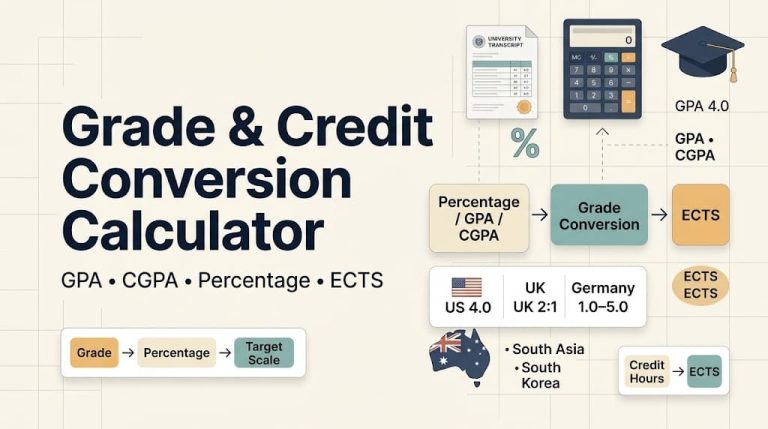
Studying outside the US? Convert your marks first with the Grades Tool.
Worked Examples
A typical year with five classes
Each class below is worth 1 credit. Press the "Typical year" button in the calculator to load it.
| Class | Level | Grade | Unweighted points | Weighted points |
|---|---|---|---|---|
| English | Honors | A- | 3.7 | 4.2 |
| Algebra II | Regular | B+ | 3.3 | 3.3 |
| Biology | Regular | A | 4.0 | 4.0 |
| US History | AP | B | 3.0 | 4.0 |
| Spanish | Regular | C+ | 2.3 | 2.3 |
| Total | 16.3 | 17.8 |
Dividing each total by 5 credits gives 3.26 unweighted and 3.56 weighted.
A half-credit class
Say a half-credit gym class ends with an A and a one-credit English class ends with a C. The points are 4.0 × 0.5 plus 2.0 × 1, which makes 4.0, and the credits add up to 1.5. Then 4.0 ÷ 1.5 gives a GPA of 2.67. A plain average of the two grades would wrongly give 3.0, which shows why credits matter.
Adding an earlier record
Suppose you finished 10 credits earlier with a 3.40 unweighted and a 3.60 weighted GPA, and you now add the five classes from the first example. The unweighted result is (10 × 3.40 + 16.3) ÷ 15, which rounds to 3.35. The weighted result is (10 × 3.60 + 17.8) ÷ 15, which rounds to 3.59.
Keep Your GPA Up to Date
This calculator does not store your entries, so refreshing the page clears them. Press "Copy results" to keep your numbers, and note your credits and both GPAs. When the next semester ends, open the earlier record box, enter those figures, and add your new classes. The overall GPA then picks up where you left off.
Common Mistakes to Avoid
- Counting every class as 1 credit when a half-credit class is on your transcript
- Picking AP or Honors for a class your school does not weight
- Entering a weighted GPA from your transcript in the unweighted box of the earlier record
- Mixing percentages and letters for the same course
- Expecting a pass/fail class to change your GPA, since P / NP classes are left out
Frequently Asked Questions
How do I calculate my high school GPA?
Convert each grade to grade points, multiply by the class credits, add those products, and divide by the total credits. The calculator does these steps for you and shows them under "Show working".
What is the difference between weighted and unweighted GPA?
An unweighted GPA treats every class equally on a 4.0 scale. A weighted GPA adds a bonus for Honors, AP, IB and college-level classes, so it can go above 4.0.
Does a half-credit class count less?
Yes. A half-credit class has half the influence of a one-credit class on your GPA, because the formula multiplies grade points by credits.
Does an F in an AP class get a weighting bonus?
No. A failing grade stays at 0.0 points in both the unweighted and the weighted GPA.
Can I enter percentages instead of letter grades?
Yes. Switch "Grade entry" to Percentage and type each score. The calculator shows the letter it converted to and uses it in the GPA.
How do I include my earlier semesters or years?
Open the earlier GPA record box and enter your previous credits plus your previous unweighted and weighted GPA. You can also add each earlier semester as its own card.
Do pass/fail classes count toward my GPA?
No. Choose P / NP for the grade and the class is left out of every total.
Does the calculator save my grades?
No. Nothing is stored, so use "Copy results" before you leave the page.
Add Agri Opportunities as a preferred source on Google to see latest calculators and tools listings first.